Disclosure: We may earn a commission when you click our affiliate links to tested products, ensuring our 2026 Airtable review remains an independent, honest guide to the be
If you’ve outgrown a spreadsheet but don’t want to hire a developer, Airtable is probably the first tool someone recommended to you — and for most solo founders, ops teams, and small agencies managing client work, it’s still the right call. This review is for people deciding whether Airtable specifically (versus Notion, Glide, or a real database) fits how they actually work, not a generic “what is Airtable” explainer.
What Airtable Actually Is
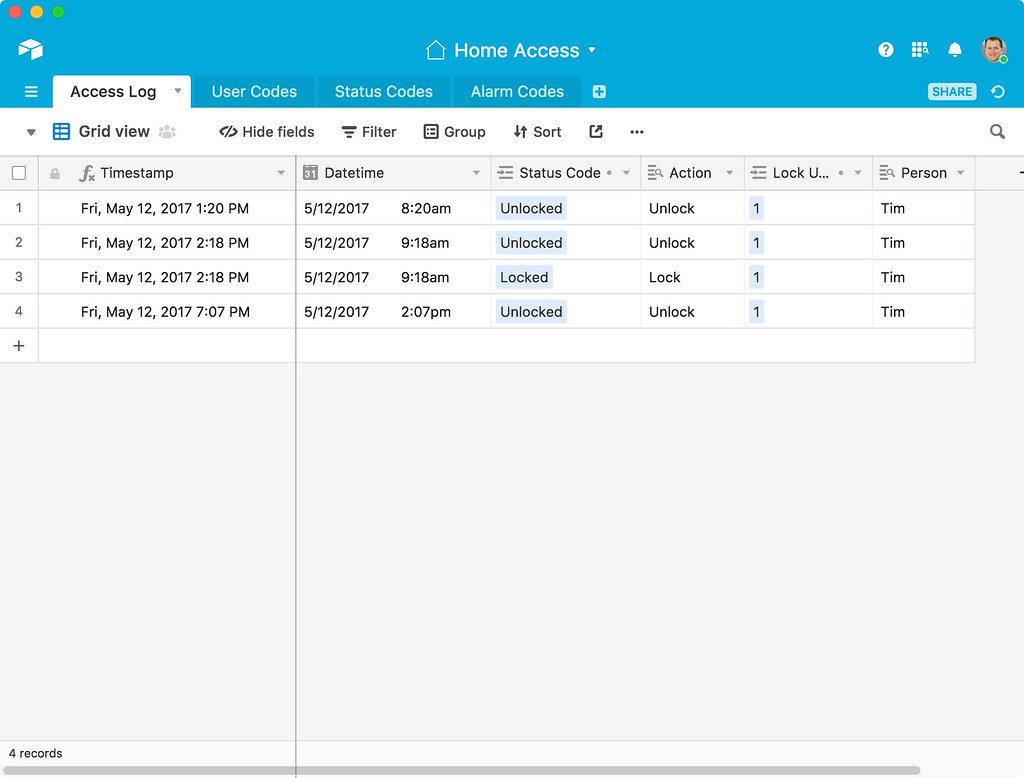
Airtable is a relational database wrapped in a spreadsheet interface. Rows in one table (say, “Clients”) can link to rows in another (“Projects”), and those links stay in sync — something a plain spreadsheet can’t do without brittle VLOOKUPs. On top of the tables, you get multiple views (grid, kanban, calendar, gallery, Gantt-style timeline), a forms tool for intake, and Airtable Interfaces for turning raw tables into a clean dashboard non-editors can use without seeing the underlying mess.
Pricing (Current, from Airtable’s Own Pricing Page)
Airtable runs four tiers, billed per seat — only people with edit access to at least one base in the workspace count against your seat total; viewers, form submitters, and share-link recipients are free.
| Plan | Price | Who it’s for |
|---|---|---|
| Free | $0 | Solo use, testing the tool, very small bases |
| Team | $20/user/month (billed annually) | Small teams that need more records, revision history, and automations |
| Business | $45/user/month (billed annually) | Departments needing SSO options, admin controls, and higher record/attachment ceilings |
| Enterprise Scale | Custom | Large orgs needing unlimited workspaces/org units and dedicated support |
Prices shown are current as of 2026 per the vendor’s own pricing page — always confirm the live rate before you buy, since SaaS pricing shifts more often than review pages get updated.
Two things catch people off guard. First, monthly (non-annual) billing costs meaningfully more per seat than the advertised annual rate — budget for that if you’re not ready to commit for a year. Second, each plan now bundles a monthly pool of AI credits (Airtable’s built-in AI features), which is a newer addition worth checking against your actual usage before assuming it’s “free.”
What the AI Features Actually Do
Airtable’s 2026 push isn’t a chatbot bolted onto the sidebar — it’s AI wired into the base itself, and it’s worth understanding before you decide it’s marketing fluff. Omni is a prompt-driven builder: describe what you want (“track client onboarding with tasks, deadlines, and status”) and it configures tables, fields, relationships, and even a starter interface for you, instead of you building the schema by hand. Field Agents run at the individual-record level inside a base — you point one at a field (or combination of fields) and it works continuously as data arrives: scanning uploaded contracts or invoices for red flags, pulling real-time web data to enrich a lead record, translating a content field into another language, or classifying a record into a category you define. AI Plays are pre-built workflows on top of that — contract data extraction, brand/compliance review, and localized copy generation at scale are the ones Airtable ships out of the box. For teams on Enterprise, you can choose which underlying model (OpenAI, Anthropic, or Meta) handles each task, and Airtable states user data isn’t retained by those providers for training. In practice, this matters most for ops-heavy bases — a sales team syncing call transcripts into a base can have Field Agents auto-extract feature requests and objections the moment a transcript lands, without a human copying anything by hand.
Where Airtable Genuinely Shines
- Relational structure without SQL. Linking an “Invoices” table to a “Clients” table and having a rollup field auto-sum what each client owes is the single feature that makes Airtable worth the price over Google Sheets.
- Views, not exports. The same base can show a kanban board to the ops team and a calendar to the account manager — no duplicate spreadsheets to keep in sync.
- A serious integration ecosystem. Native syncs plus Zapier/Make support mean Airtable rarely sits in isolation from your other tools.
- Interfaces for non-technical stakeholders. You can hand a client or exec a clean, click-only dashboard instead of the raw base.
Where It Falls Short (the Honest Part)
- You will hit limits sooner than you expect. Teams report bumping into record counts, automation-run caps, and attachment storage limits well before their use case feels “done” — often forcing an upgrade earlier than budgeted for.
- Performance can degrade before you hit the published ceiling. Users on Airtable’s own community forums and third-party review sites describe noticeable slowdowns in bases well under the plan’s stated record limit, especially with heavy lookups/rollups across large linked tables.
- The learning curve for complex setups is real. Basic table-and-view use is easy; multi-table relational design with nested automations has a genuine learning curve for anyone without prior database exposure.
- Automations are basic without scripting. The built-in automation triggers cover common cases, but anything non-trivial pushes you into the scripting block (JavaScript), which isn’t “no-code” anymore.
Airtable vs the Alternatives
If your bases are simple lists with no real relationships, Google Sheets is free and fine — don’t pay for Airtable to replicate a flat spreadsheet. If you need a true customer-facing app (not just an internal dashboard), Glide or Softr (which is commonly paired with Airtable as its backend) will get you further. If your team already lives in Notion for docs and wants lightweight databases alongside them, Notion’s databases cover basic needs but lack Airtable’s automation depth and view variety.
Who Should Actually Buy This
- Buy the Team plan if you’re a small agency or ops team tracking clients, projects, and invoices with real relationships between them, and you’re past the Free plan’s record ceiling.
- Buy the Business plan only once you specifically need SSO, admin panels, or higher attachment/record limits — don’t upgrade preemptively.
- Skip Airtable if your data genuinely fits one flat table with no relationships; you’re paying for relational structure you won’t use.
FAQ
Is Airtable free to use long-term, not just a trial?
Yes — the Free plan has no time limit, capped at 5 editors and roughly 1,000 records per base. It’s usable indefinitely for small projects, not a 14-day trial.
Can Airtable replace a real backend database for a production app?
For internal tools and small-to-mid customer-facing apps (paired with a frontend like Softr or Glide), yes. For a high-traffic consumer app with complex business logic, most builders eventually outgrow it and migrate to Postgres or a similar database.
Does Airtable charge for viewers, or just editors?
Only people with edit permission on a base count as billable seats. Read-only collaborators, people filling out your forms, and anyone accessing a shared view link are free.
What’s the real cost difference between monthly and annual billing?
Airtable’s advertised per-seat prices ($20 Team, $45 Business) are the annual-commitment rate. Paying month-to-month runs meaningfully higher per seat — confirm the current monthly rate on Airtable’s pricing page before budgeting.
Sources consulted: Airtable — Pricing, Airtable — AI Agent Software, G2 — Airtable Pros and Cons.
Editor’s pick: Airtable
Related reading: Best Airtable Alternatives in 2026