Most no-code automation tutorials cover the easy case: trigger fires once, action runs once. Recurring automations are a different problem. A scheduled job that runs every day, every hour, or on the first of the month has to survive timezone changes, platform outages, and silent partial failures — and if nobody notices for two weeks, you’ve either sent duplicate invoices or sent none at all.
Two Ways to Trigger a Recurring Automation
No-code platforms give you two fundamentally different trigger types, and picking the wrong one is the most common setup mistake.
- Schedule-based (cron-style): runs at a fixed interval regardless of what happened in your data — “every Monday at 9am,” “every 1st of the month.” Good for reports, digests, and billing runs.
- Event + delay-based: a real event happens (order placed, form submitted) and the automation waits N days/hours before acting — “3 days after signup, send a check-in email.” Good for onboarding sequences and follow-ups tied to a specific record.
Building a follow-up sequence on a pure schedule trigger (checking “is it 3 days since any signup?” on every run) is technically possible but wastes operations and gets fragile fast. Use the event+delay pattern for anything tied to an individual record’s timeline, and reserve schedule triggers for batch jobs that touch everything at once.
How the Major Platforms Handle Scheduling
Zapier’s Schedule trigger is intentionally simple — hourly, daily, or weekly, on Professional plans and up ($19.99/mo+ for 750 tasks/month billed annually, Team at $69/mo for 2,000 tasks). It’s plenty for a daily digest but won’t do “every weekday except public holidays” without extra filter steps.
Make gives you full cron-syntax scheduling, so you can express “every 15 minutes between 9am-5pm on weekdays” directly, and it’s the cheapest of the three at scale — roughly 10x more operations per dollar than Zapier at comparable volume, starting around $9/mo.
n8n’s scheduling is the most flexible of the three: cron expressions, explicit timezone handling per-workflow, and exception windows. Self-hosted n8n has no per-execution fee at all, so a workflow that fires every 5 minutes costs the same as one that fires daily. Cloud starts around $20/mo.
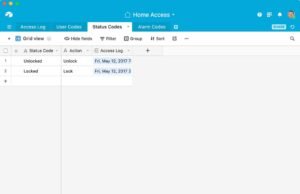
Airtable Automations has a built-in scheduled trigger baked into the base itself, which is convenient if your recurring job is really just “check this table and act on rows matching X” — you skip a whole external tool.
| Platform | Scheduling granularity | Timezone handling | Rough cost at scale | Best for |
|---|---|---|---|---|
| Zapier | Hourly/daily/weekly presets | Basic | $250-400+/mo at 10k runs/mo | Simple digests, non-technical teams |
| Make | Full cron syntax | Good | $150-200/mo at 10k runs/mo | Complex schedules on a budget |
| n8n | Full cron + exceptions | Best (per-workflow) | ~$50/mo cloud, free self-hosted | High-frequency or self-hosted teams |
| Airtable Automations | Scheduled + record-based | Basic | Included in Airtable plan | Jobs that live entirely inside one base |
Recurring Jobs Worth Automating First
Start with the ones that are boring, high-frequency, and low-risk if slightly delayed — not the ones where a missed run causes real damage:
- Weekly ops report: pull numbers from your CRM/database, format into an email or Slack digest.
- Monthly recurring invoices: generate and send via your billing tool’s API on the 1st.
- Daily backup snapshot: export a table/base to a dated file in cloud storage.
- Stale-lead re-engagement: event+delay pattern, not schedule — touch each lead N days after last contact.
The Failure Modes Nobody Warns You About
Timezone drift: “9am” in your automation tool’s UI is whatever timezone the tool defaults to, which is often UTC or the account owner’s signup timezone — not necessarily your team’s. Confirm the actual configured timezone per workflow, not per account, especially in n8n where it’s set per-workflow.
Duplicate runs on retry: if a scheduled run partially fails (say, step 3 of 5 times out) and the platform auto-retries the whole scenario, you can end up sending the same invoice twice. Build an idempotency check — a “last run timestamp” field you write at the very end, and check at the very start — before doing anything with real-world side effects like sending money or email.
Silent failure: a scheduled automation that errors out doesn’t page anyone by default. Wire a failure branch (or the platform’s built-in error-handler workflow, which both Make and n8n support natively) to post a Slack/email alert on failure, not just success.
FAQ
Do I need a paid plan to schedule automations? Zapier and Make both gate scheduling behind a paid tier once you’re past a handful of tasks/month; n8n’s free self-hosted option has no such gate, at the cost of managing your own server.
What happens if my computer/server is off when a scheduled job should run? Cloud-hosted platforms (Zapier, Make, n8n Cloud) run on their own infrastructure regardless of your machine. Self-hosted n8n only fires if your host is up at the scheduled time.
Can I test a recurring automation without waiting for the schedule? Yes — all three major platforms let you manually trigger a scheduled scenario/workflow on demand for testing, separate from its cron schedule.
Verdict: for anything with more than one non-trivial schedule rule, Make’s cron syntax or n8n’s per-workflow timezone control will save you real debugging time over Zapier’s simpler presets — but build the idempotency and failure-alert steps into the automation itself before it ever runs on money or customer-facing email, regardless of which platform you pick.